Installation
Requirements
You need to have installed QGIS in your computer. This plugin was tested on Windows.
QGIS version |
Operating system |
|---|---|
3.28.9 |
Windows 11 |
3.34.12 |
Windows 11 |
3.40.0-Bratislava |
Windows 11 |
Plugin installation
TreeEyed plugin is now available directly in the QGIS Python Plugins Repository and can be installed using the plugin manager in QGIS.
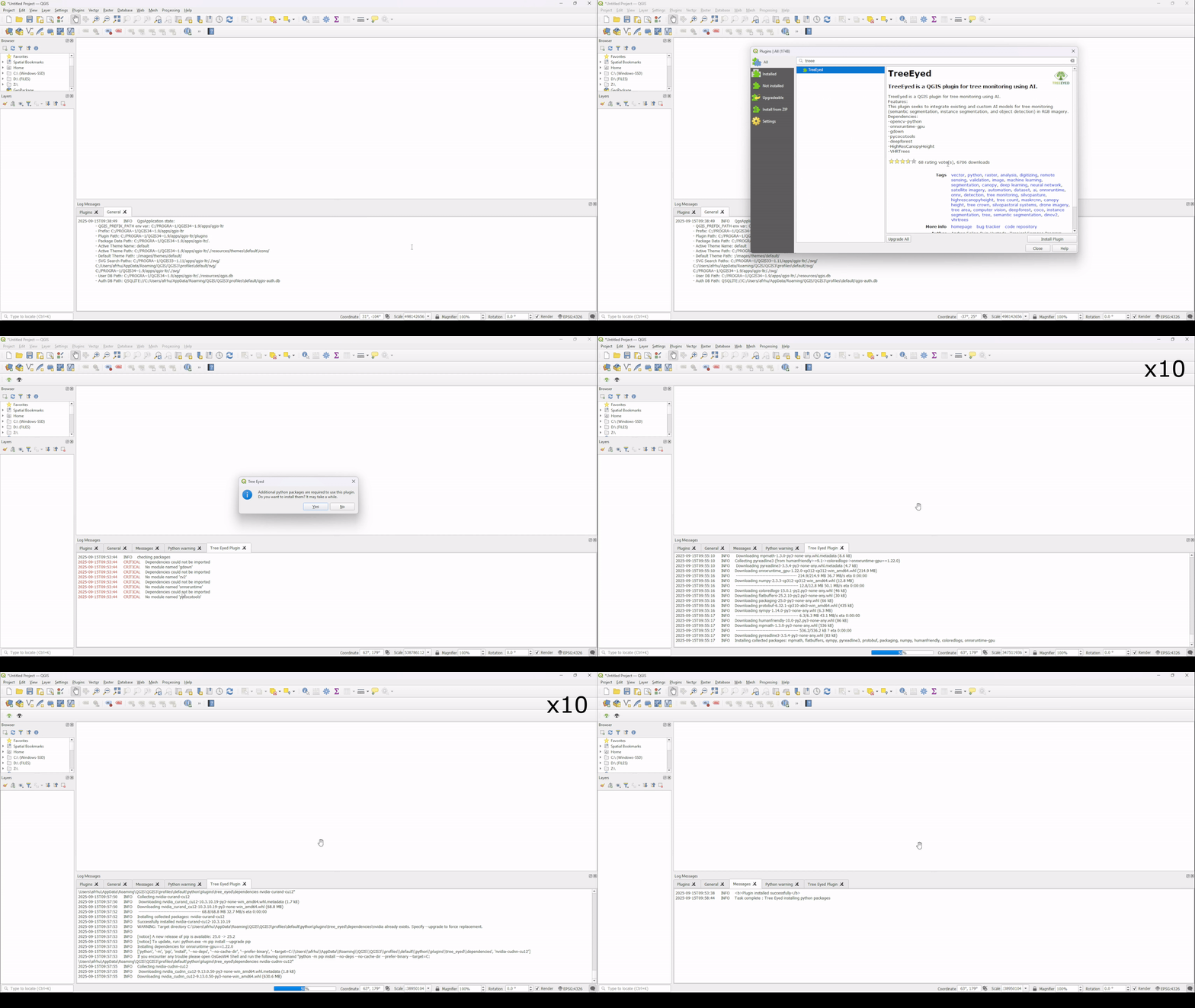
For the QGIS plugin installation using a compressed file follow the next steps:
Download the latest zip file of the plugin available in the repository.
In QGIS open the Plugins Manager
Go to the Install from ZIP section and install the plugin using the zip file
A message to install additional packages may appear, click yes to install
Required additional packages
This plugin requires additional python packages that can be installed by using the plugin and following the instructions:
opencv-python
onnxruntime-gpu
pycocotools
gdown
A dependencies folder with the required packages will be added in the plugin root folder.